
If you’ve tried an AI video generator and felt like the output was a coin flip—sometimes impressive, often off-target—the issue usually isn’t the model. It’s the prompt. Most people write prompts like captions (“cinematic city at night”), but video models respond best to directable instructions (camera, motion, pacing, constraints).
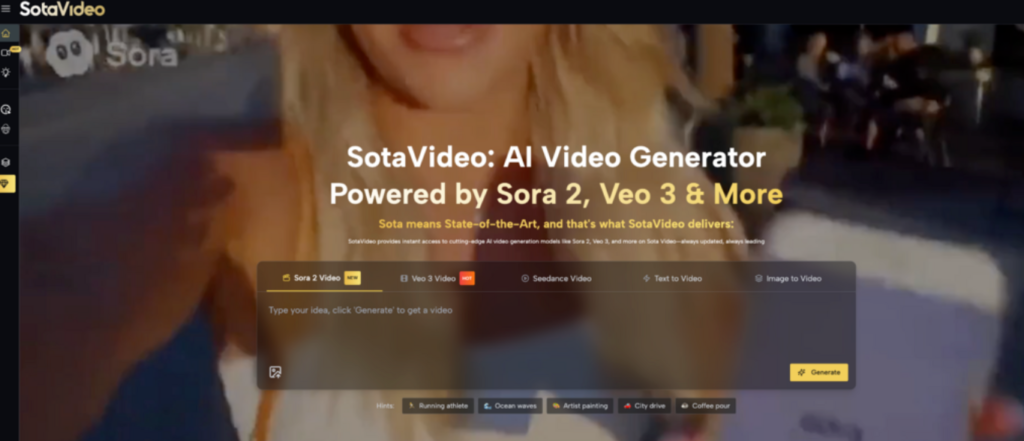
That’s why many creators start with sotavideo sora2 prompt: it’s built around a clear workflow (describe → choose a model → generate & download) and explicitly recommends being specific about motion, camera angles, and style.
Problems People Run Into When Using an AI Video Generator
Even with powerful models, creators hit the same friction points:
- Prompts that sound good—but don’t “execute”
A prompt can be visually inspiring yet still fail because it lacks filming instructions.
- Vague: “A futuristic street scene, cinematic, 4K”
- Executable: “Handheld tracking shot, medium-to-close framing, neon reflections on wet asphalt, shallow depth of field, slow push-in, 9:16 portrait, 6 seconds”
SotaVideo’s own guidance points to this: the best results come when you’re specific about motion, camera angles, and style, not just the subject.
- Inconsistent style across runs
If your prompt doesn’t anchor a repeatable “style recipe” (camera language + lighting + texture + constraints), you’ll see the same idea come out with different looks each time.
- Trial-and-error costs time (and sometimes credits)
When you iterate blindly—changing subject, camera, lighting, and style all at once—you can’t tell what caused improvement or failure. That leads to many wasted generations.
- The workflow feels unclear from prompt → final asset
Creators often want: idea → prompt → generate → download → post. SotaVideo emphasizes this “generate & download” step and positions HD download as part of the flow.
What is a sora2 prompt?
A sora2 prompt is a prompt designed to be directable for video generation. On SotaVideo’s Sora 2 prompt page, the examples aren’t just “ideas”—they include camera direction, pacing, and formatting details (like time segments, dialogue, and shot changes).
In practice, a good sora2 prompt usually contains:
- Subject: who/what is the focus?
- Scene: where and when?
- Action + motion: what changes over time?
- Camera: shot type, movement, framing
- Lighting + tone: mood, contrast, color temperature
- Constraints: duration, aspect ratio, continuity rules, what to avoid
For example, the SotaVideo library includes prompts that literally start with “Cinematic tracking shot” and then describe how the camera follows the subject, how lighting shifts, and how the scene ends. That’s the kind of “executable” structure that helps you replicate results.
The Functions of the sora2 prompt generator on SotaVideo
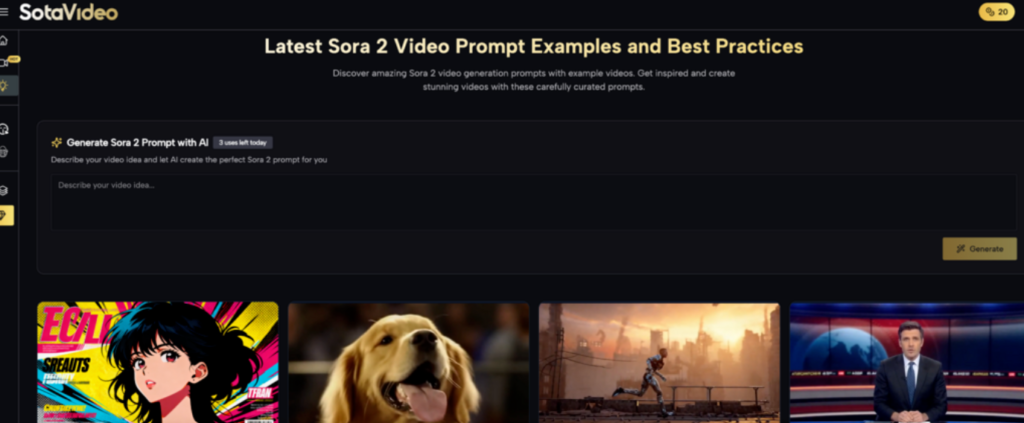
SotaVideo’s Sora 2 prompt page combines several functions that reduce guesswork and speed up iteration—especially if you’re not confident writing prompts from scratch.
1) AI prompt generation from your idea
The page includes “Generate Sora 2 Prompt with AI” and prompts you to “Describe your video idea and let AI create the perfect Sora 2 prompt for you,” with a visible daily usage counter (e.g., “3 uses left today”).
Why this matters: Highlight:It turns a vague concept into a structured, model-friendly prompt, typically adding the missing pieces that cause “no effect” results: camera language, pacing, and constraints.
How to get better outputs from the generator (practical):
- Specify a camera intent: “tracking shot,” “handheld vlog,” “dolly-in close-up”
- Specify format: 9:16 (Shorts/Reels/TikTok) or 16:9
- Specify duration: “6 seconds,” “10 seconds”
- Add 1–2 constraints: “keep the same character,” “no extra people entering frame”
2) Curated prompt library with example prompts
The page positions itself as a collection of “Latest Sora 2 Video Prompt Examples and Best Practices” and encourages users to discover prompts “with example videos.”
Why this matters: Instead of inventing your own structure, you can copy a proven layout (camera → action → environment texture → ending beat) and swap only the content variables (subject/scene).
Highlight:A curated library reduces “blank page” time and helps you learn prompt patterns that actually work.
3) “Use It” to apply a prompt and generate an identical style baseline
Why this matters: Highlight:Starting from an identical style baseline dramatically lowers trial-and-error, because you’re not debugging an untested prompt structure—you’re customizing a proven one.
Best practice:
- Use It → get a “style anchor” result
- Then adjust one dimension at a time (only camera, or only lighting, etc.)
4) “Copy it” for fast reuse and customization
If you want full control, Copy it lets you paste the full prompt into your workflow and edit it.
A fast customization method (works for most long-tail needs):
- Keep the camera block and constraints
- Replace only:
- Subject (who/what)
- Scene (where/when)
- Action (what changes)
Common Questions About sora2 prompt generator on SotaVideo?
Why does my sora2 prompt “work once” but fail the next time?
Usually you’re missing constraints or you have conflicting style cues. Add:
- aspect ratio + duration
- “keep the same character/outfit”
- “no extra characters entering the frame”
Is longer always better for a sora2 prompt?
No. Better prompts are more specific, not just longer. A short prompt with clear camera direction often beats a long prompt full of adjectives.
Should I use “Use It” or “Copy it”?
- Use it when you want a fast, validated style baseline (best for speed).
- Copy it when you want maximum customization and learning.
What’s a good “minimum viable” prompt checklist?
- One clear camera instruction (tracking / dolly-in / handheld)
- One motion instruction (what moves, how fast)
- One lighting cue (golden hour / softbox / neon haze)
- Two constraints (duration + aspect ratio)
Conclusion
If your AI video generator results feel random, don’t assume the model is the problem. A good sora2 prompt makes your intent executable by specifying camera, motion, lighting, and constraints—and SotaVideo’s sora2 prompt generator workflow helps you do that faster through AI prompt generation, a curated prompt library, and Use It / Copy it actions.
Start with sotavideo sora2 prompt for the end-to-end creation flow, and use sora2 prompt templates to quickly get a working baseline you can customize into repeatable, high-quality video outputs.