
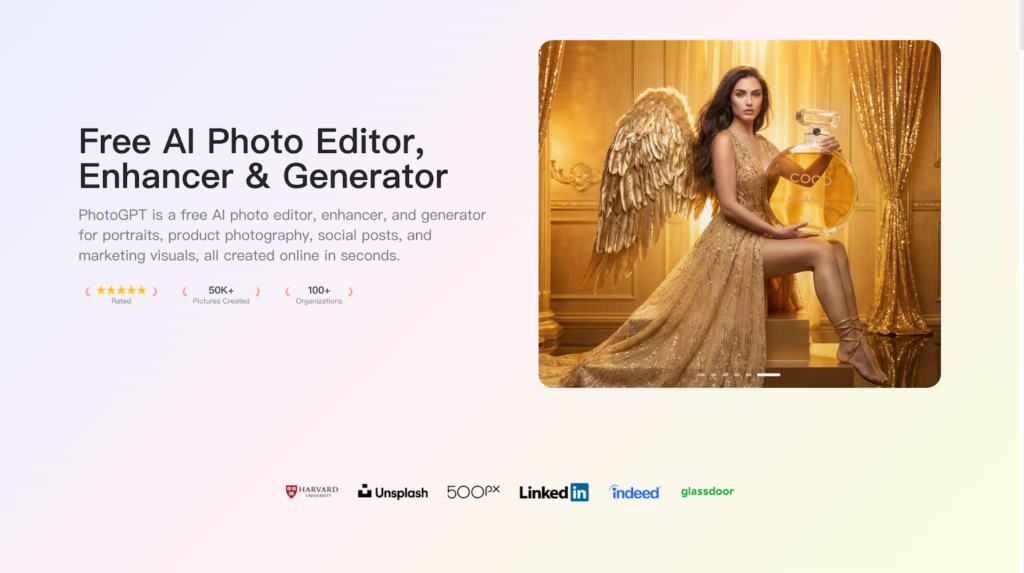
My content pipeline depends on visuals that feel like real photos, not generic AI art. I publish across multiple channels, so I need images that stay consistent in style while still giving me enough variety to test different angles and moods. PhotoGPT fits that need because it keeps the workflow online and focused on photoreal results. PhotoGPT covers the three actions I use most: generate new images from text, edit existing photos without breaking realism, and enhance quality so assets look ready to publish.
(Create All Type of Photo in PhotoGPT)
What I need as a creator who ships often
My visual needs repeat every week: profile photos, cover images, post graphics, and simple promo visuals. The real challenge is credibility. If an image looks artificial, it weakens trust and makes the brand feel less professional.
My baseline for “publishable” visuals
An image is usable when it hits:
- Natural lighting and believable texture
- Clean background and clear subject focus
- A consistent look across a series
- Enough clarity for cropping and resizing
PhotoGPT is aligned with these basics because it pushes output toward a camera-like feel.
PhotoGPT generation for realistic portraits and lifestyle scenes
The most common thing I do is generate variations of a realistic photo concept. PhotoGPT works best when prompts read like a photo brief: what the subject is, where the light comes from, what the background should feel like, and how the shot is framed.
(Any Photo, Any style, All in PhotoGPT)
How I write prompts for consistent creator visuals
I keep prompts simple and structured:
- One subject and one main idea
- One lighting description, such as soft window light or clean studio light
- One background direction, such as neutral wall, minimal setup, or outdoor blur
- One framing instruction, such as close portrait or half body
This approach helps the output look more believable. It also keeps images consistent across a set, which matters when you want a recognizable brand style.
Where generation saves the most time
PhotoGPT generation is most useful when I need:
- Fresh profile image options that still look realistic
- Series thumbnails that feel unified
- Lifestyle visuals that match a post theme without heavy design work
- Promotional images for a launch or collaboration
Instead of hunting for the perfect stock photo, I can create several options quickly and choose the one that fits the message.
PhotoGPT editing for small changes that still look real
Editing is where many tools break realism. I rarely want a full transformation. I want controlled changes that keep the image believable and keep the subject consistent.
Edits that fit real creator workflows
The edits I rely on:
- Clean up or simplify backgrounds so the subject stands out
- Adjust style details to match a theme across posts
- Make localized changes that improve balance without changing the whole image
When blending looks natural, the final image feels more like a real photo. That is the difference between something I can post confidently and something that looks obviously manipulated.
PhotoGPT enhancement for clean, sharp outputs
Even a good image can look weak after compression or resizing. Enhancement matters because my assets get reused in different sizes, from small avatars to full width banners.
When enhancement helps most
I use enhancement when I need:
- Better clarity for cropping without losing detail
- A cleaner look for profile images and headers
- More consistent sharpness across a visual set
The best part is that the enhancement stays natural. It improves clarity and texture without pushing the image into an overly sharp or plastic look.
Why PhotoGPT feels practical for creators
PhotoGPT works for my workflow because it stays focused on realistic photo output and it covers the full cycle: generate, edit, enhance, then publish.
The strengths that matter most
- Photoreal direction that prioritizes lighting, exposure, and texture
- Online workflow that does not require extra software
- Fast creation of multiple variations for testing and consistency
- A clear fit for portraits, professional headshots, lifestyle visuals, and product style images
RoomDesign when the content becomes about spaces
When my content shifts toward interiors, home topics, or property style visuals, RoomDesign becomes the better fit. RoomDesign focuses on room concepts and interior direction, which helps when the visual story is about a space rather than a person or product.
(RoomDesign Homepage)
Where RoomDesign helps in a creator pipeline
RoomDesign is useful for:
- Interior concept variations for the same theme
- Room visuals for home and decor content formats
- Style comparisons that make ideas easy to understand and share
It helps turn a vague room idea into a clear visual reference, which makes planning and publishing faster.
Conclusion
PhotoGPT (https://photogpt.io/) delivers a realistic photo centered workflow for generating, editing, and enhancing images online, helping creators produce publishable visuals with a consistent studio style feel. RoomDesign (https://roomdesign.io/) supports fast interior concept exploration and room focused visuals, helping creators turn space ideas into clear, shareable designs.