

A subtle but consequential shift is underway in creative software, and it has less to do with what the tools can do than with what they ask of the user. For decades, the logic of image editing followed a consistent pattern: learn the software, locate the right tool, apply it with precision, and repeat. Expertise was defined by fluency in that sequence. The faster and more accurately someone could navigate menus and sliders, the more professional the result. In 2026, a growing number of platforms are testing a different assumption. They ask the user to stop operating tools and start directing outcomes.
The AI Photo Editor at PicEditor AI sits at the intersection of this change. It is built around the idea that the user should describe what they want, select the engine best suited to deliver it, and guide the iteration toward a finished image—without necessarily touching a single manual control. This is not a small interface tweak. It represents a redefinition of what it means to edit a photograph, and it raises a question that matters to anyone who works with images: when the tool becomes intelligent enough to execute on intent, what exactly does the human contribute?
Testing the Director Model Across Three Editing Scenarios
To understand where the description-based approach holds up and where it asks too much of language alone, I ran three real-world editing tasks using only natural-language instructions. Each scenario tested a different dimension of the director role: precision, creative judgment, and the ability to guide iteration.
Scenario One — Product Image Cleanup with Descriptive Language
The test image showed a handmade ceramic mug on a cluttered kitchen counter. Cables crossed the foreground, a coffee machine crowded the background, and the lighting was uneven. The instruction was “remove all background objects, place the mug on a clean white surface, and add a soft shadow beneath it.”
The first pass removed the cables and the coffee machine cleanly, without leaving visible smudges. The background replacement produced a uniform white surface, and the shadow grounded the mug naturally. One limitation surfaced: the original warm color balance of the ceramic shifted slightly cooler after the edit. A follow-up instruction—“restore the original warm tone”—brought it back within one extra step.
From a director’s perspective, this test succeeded because the task was clearly scoped. The instruction contained three concrete directives, each of which the engine could interpret separately. The minor color shift required a correction, which is consistent with the experience of giving feedback to a human retoucher: the first pass gets close, and a specific note sharpens the result.
Scenario Two — Portrait Style Transfer with Identity Preservation
The task involved taking a well-lit frontal portrait and transforming it into two distinct visual styles while preserving facial identity. Style transfer is a demanding test because human eyes are acutely sensitive to small changes in facial proportions, and the most common complaint about AI editing is that the transformed image no longer looks like the same person.
The first instruction was “cinematic lighting with warmer tones and shallower depth of field, keep facial features identical.” The result preserved skin texture and kept eye position and shape consistent—often the hardest elements to maintain. The second instruction, “painterly artistic style with dramatic contrast,” produced more variable results. One output succeeded in capturing the intended mood while keeping the subject recognizable. Another drifted subtly in jawline proportions, requiring a more specific follow-up prompt: “painterly texture, keep face shape and eye position unchanged.”
What This Reveals About the Director’s Role
The difference between the two attempts highlights where human judgment remains essential. The director’s job is not simply to name a style and accept whatever returns. It is to inspect the output against a specific creative standard, identify where the machine misinterpreted the instruction, and provide more precise guidance in the next round. The machine handles the execution. The human handles the evaluation and the course correction.
Scenario Three — Photo-to-Video Animation with Limited Control
Turning a still landscape photograph into a short animated clip required only the instruction “animate the water and make the clouds drift slowly.” The output produced subtle ripples on the lake surface and gentle cloud movement over several seconds. The shoreline and trees remained stable, creating a plausible sense of motion within an otherwise static scene.
The limitation became clear when I applied the same instruction to a busy street photograph. The AI added motion to a parked bicycle but left a walking pedestrian frozen, indicating that the engine prioritizes detected motion cues that do not always align with human expectations. The current version does not offer a way to specify which elements should move and which should remain still.
From a director’s perspective, this limitation is significant. The user can request animation but cannot stage it. The instruction is a suggestion rather than a set of blocking notes, and the machine makes editorial decisions about motion distribution that the user cannot override. For landscape and nature scenes with obvious candidates for movement, the results are usable. For complex compositions, the director role is undermined by the absence of fine-grained control.
How the Director Workflow Is Structured in Practice
The platform organizes the editing process into a sequence that mirrors how a director communicates with a creative team: provide the source material, describe the desired change, select the specialist best suited to the task, and review the result before moving forward.
Provide the Source Material
The workflow begins with an uploaded image rather than a blank canvas or a prompt field. This positions the user as someone who already has visual material and wants to transform it, not as someone generating content from scratch. The editing toolkit—background removal, object erasure, enhancement, upscaling, style transfer, face swap, and photo-to-video conversion—is accessible from the same browser interface.
Why the Starting Point Changes the Creative Dynamic
When the user begins with their own photograph, they retain authorship of the source. The AI functions as a transformation engine rather than an origin engine. For photographers and creators who feel displaced by generative tools that produce images from text prompts, this distinction matters. The creative act still begins with a human pointing a camera at something in the world.
Describe the Change in Plain Language
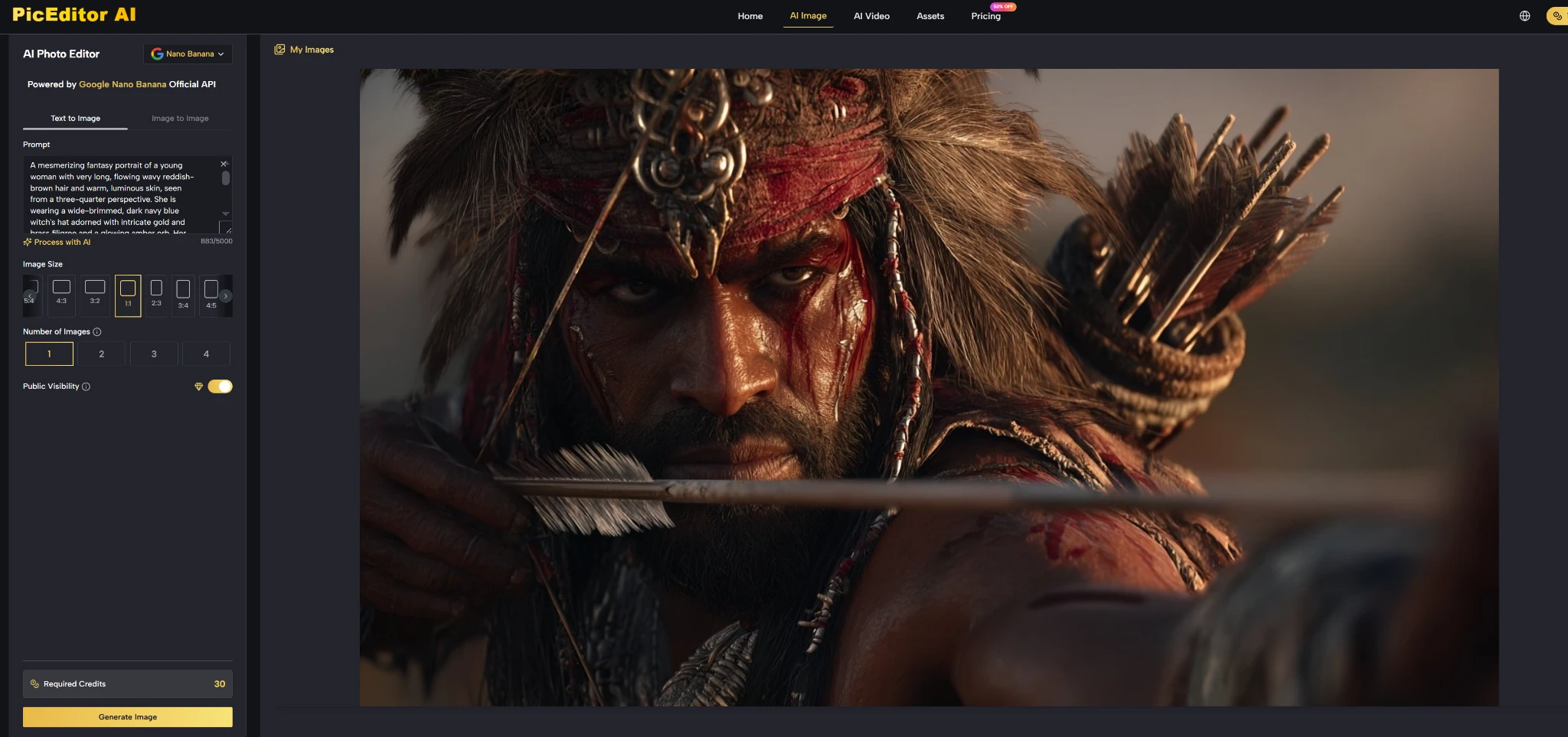
After selecting a tool, the user types what they want to achieve. The prompt field accepts everyday language, from short commands like “remove the watermark” to detailed instructions covering multiple adjustments. The engine interprets the language and applies the edit without requiring the user to locate sliders, build layer masks, or adjust brush parameters.
Language as the New Control Surface
This is where the director metaphor becomes most literal. Instead of executing every technical step manually, the user articulates intent. The shift from technical operation to descriptive direction reduces the learning curve for people who have never used professional editing software. It also reframes the nature of expertise. The skilled user is no longer the person who knows every menu location. The skilled user is the person who can describe a visual outcome with enough precision that the machine produces it on the first or second attempt.
Select the Right Model for the Creative Goal
A model selector sits near the prompt area, offering access to multiple AI engines. Different models prioritize different qualities: photorealistic skin texture, faster creative iteration, precise object-level edits, or cinematic motion generation. The user can run the same instruction through multiple models and compare results without restarting the editing session.
Model Choice as a Creative Decision
In a single-model tool, the user is locked into one aesthetic pipeline. Every edit passes through the same engine regardless of whether the task rewards realism, speed, or artistic flexibility. The multi-model structure treats engine selection as part of the creative process. Choosing Nano Banana for photorealistic detail work, Flux for context-aware object edits, or Veo 3 for photo-to-video animation is not a technical configuration. It is a directorial decision about what visual quality the final image should prioritize.
Review and Refine Until the Output Matches the Intent
The editing loop does not end with the first output. The user evaluates the result, decides whether it meets the creative standard, and either refines the prompt, switches models, or moves on. This iterative cycle—describe, review, adjust—is the core of the director role. The machine provides speed and execution. The human provides taste, judgment, and course correction.
Where the Iteration Cycle Works Best and Where It Falters
In my testing, the cycle worked efficiently for tasks with clear visual criteria: background removal, object erasure, enhancement, and straightforward style transfers. It became more demanding when the creative goal was subtle or subjective, such as “make the mood more cinematic” or “give the image more warmth.” These instructions require the user to evaluate against an internal standard that the machine cannot access, and the iteration count rises as a result. The director role is most effective when the user can articulate what they want with specificity. It is less effective when the user expects the machine to intuit an aesthetic direction.
Comparing Three Editing Philosophies
The table below situates the director model alongside two other approaches, not to declare superiority but to clarify what each philosophy asks of the user.
| Editing Philosophy | What the User Does | Where Expertise Lives | Best Fits |
| Director model (PicEditor AI) | Describes intent, selects models, evaluates output | Visual judgment, prompt specificity, iterative refinement | Creators who want speed without surrendering creative agency |
| Manual professional suites | Operates tools, builds layers, adjusts parameters | Software fluency, technical precision, pixel-level control | Retouchers and designers who need absolute control |
| Single-function AI tools | Uploads image, clicks one button, downloads result | Task identification, knowing which tool does what | Users with isolated, predictable editing needs |
Honest Friction Points in the Director Workflow
Several constraints are visible when the director model is tested under realistic conditions. Prompt quality directly determines output quality, and the platform does not guess intent well. Instructions like “make this look better” sometimes produce no visible change at all, while “increase contrast, warm the white balance, and sharpen the eyes” delivers consistent results. Users who are not accustomed to describing visual changes in words face a learning period that has nothing to do with software and everything to do with building a vocabulary for visual intent.
Edge artifacts around fine structures—hair against foliage, translucent fabrics against complex backgrounds—still appear and may require multiple refinement rounds. The AI Image Editor does not eliminate these edge cases. It provides model switching and prompt refinement as tools for managing them.
Photo-to-video animation lacks the granular staging control that a true director would expect. The user cannot specify which elements should move and which should remain still, and the engine’s motion distribution sometimes produces results that feel editorially arbitrary. For landscape and nature scenes, the limitation is tolerable. For composed narrative shots, it is a meaningful gap.
The free tier covers essential features, and the Starter plan at roughly eight dollars per month billed yearly removes watermarks and unlocks private generation. Users who process high volumes will need to calculate whether the subscription cost aligns with their editing frequency.

Who Is Ready for the Director Role
The director model makes the most sense for creators who already know what they want an image to look like but do not want to spend time executing every technical step. Sellers managing product listings, social media managers producing consistent visual content across platforms, and designers exploring multiple aesthetic directions for the same source image are all likely to benefit from the speed and continuity this approach offers. Professional retouchers who already have muscle memory for manual tools and need pixel-level precision for large-format print work are unlikely to replace their existing software. For them, the director model may serve as a rapid drafting tool—a way to explore variations quickly before committing to a final direction in a manual editor.
What the platform demonstrates is that editing software does not need to treat every user as a technician. When the interface expects description instead of tool operation, the relationship between the creator and the machine shifts. The human stops being the person who clicks the buttons and becomes the person who decides whether the result is good enough to keep. That is a different job title entirely, and it may be the one that defines the next decade of creative work.